

A client recently asked us a version of this question: Why does my website’s SEO plugin keep flagging our content with orange and red dots?
It’s a fair question. I remember being perplexed by Yoast’s “traffic light” scoring system the first time I saw the back-end of a WordPress site.
Here is a mutated, overgrown, blog-adapted version of the response I sent our client, built around all the other questions implied by that inquiry.
What is Yoast, exactly?
Yoast is the most widely used SEO plugin for WordPress. It helps manage page titles, meta descriptions, sitemaps, and other behind-the-scenes elements. Developers like it because it’s easy to use.
The free version also includes a built-in scoring tool: a traffic light system of red, orange, and green dots that’s supposed to tell you how well a page or post is optimized for Google search rankings.
When you’re logged into WordPress, the Yoast plugin interface is usually near the bottom of a page. It looks like this, which—in a weird mirror-looking-into-a-mirror-into-infinity way—is actually a screenshot of this blog post’s back-end.
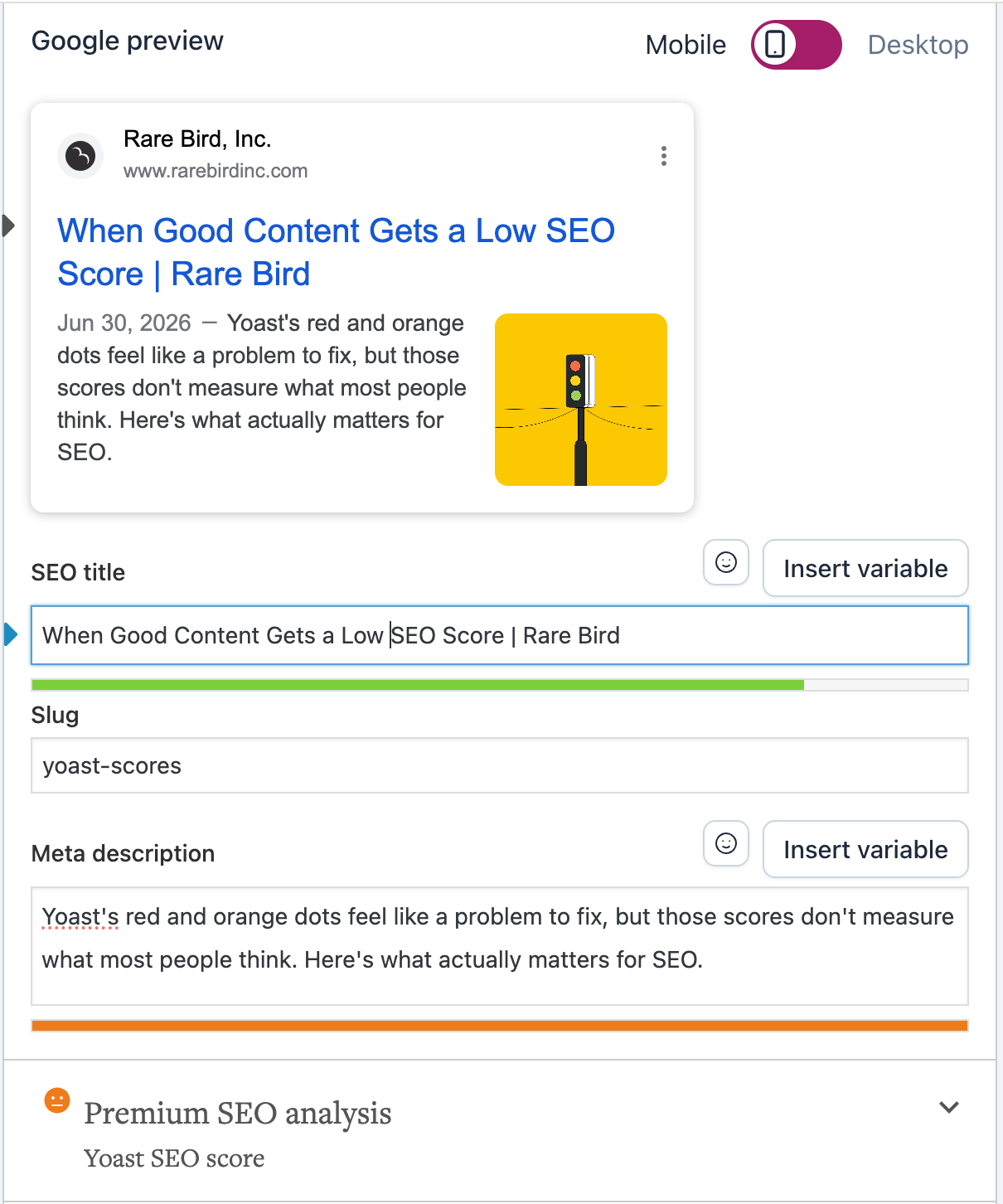
Yoast remains an incredibly useful plugin for the technical side of SEO, even if its scoring tool creates more than its share of confusion. Here, I’ve used it to add a “focus keyphrase,” which is just Yoast’s weirdly particular terminology for, you know, a keyword phrase. This is also where a writer or digital marketer adds or updates a meta description and refines the page’s title for SEO purposes.
A meta description is the short snippet of text (usually 1-2 sentences; fewer than 160 characters) that appears beneath the page title in Google’s search results. It doesn’t directly affect rankings, but a good one might convince someone to actually click the link to your website.
The SEO page title (sometimes called a meta title) is the clickable blue headline that shows up in Google search results, as seen in the preview above. It also appears in the browser tab. Unlike the meta description, it is a stated factor in Google’s algorithm.
Why did Yoast give my page/post a bad score?
Yoast’s scoring is based on a generic, rule-based checklist applied identically to every website, regardless of the industry, audience, or intent. It rewards mechanical things—keyword density, sentence length, how often you use transition words—that seem to have a loose to nonexistent correlation with how Google actually ranks pages.
Google’s algorithm weighs hundreds of signals: backlinks, page experience, topical authority, user engagement, and something they call E-E-A-T, which stands for experience, expertise, authoritativeness, and trustworthiness.
Yoast’s traffic light score does not have visibility into any of that. A page can have all green dots and be buried on the 19th page of Google search results. Or a page can be all red and rank first, because the company behind that page has built up its own authority, backlinks, and catalogue of meaningful, useful content across its website.
In short, Yoast’s score is a guess, and not always a useful one. The free scoring tool also exists, in part, to nudge users toward Yoast’s premium (paid) version. That doesn’t make the plugin bad. In fact, for what we use Yoast for (managing titles, meta descriptions, and the like), it’s terrific. But the colored dots shouldn’t be treated as SEO gospel.
What about readability scores? Do they matter?
Readability matters. Readability scores are a different story.
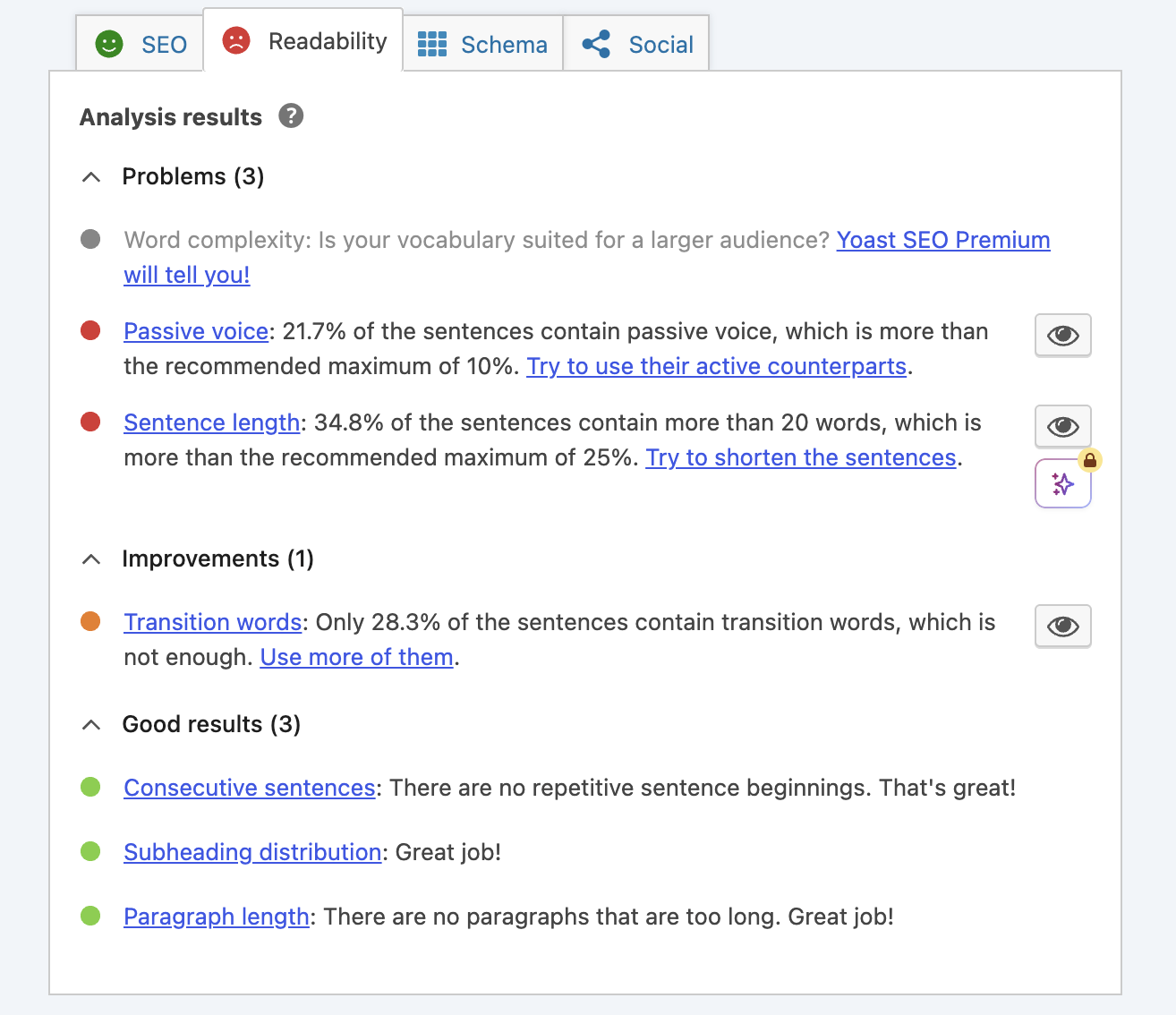
Google’s John Mueller has said readability is not a ranking factor, and studies by Portent and Ahrefs have found no correlation between readability scores and organic rankings, despite Yoast’s readability analysis appearing in the editor alongside every page as though it carries ranking weight.
What matters is whether the content serves the person reading it. Yoast’s readability section goes into greater detail, as you can see below.
Who is actually reading this page? And why?
This question is where content strategy conversations begin.
A patent attorney’s site doesn’t bring in casual browsers. It’s read by inventors, engineers, and in-house counsel who expect precise, technical, and/or legal-oriented language, and who will trust the firm less, not more, if a description of claim construction gets dumbed down to satisfy a plugin aimed at pleasing fifth-grade readers. Forcing simplified, keyword-heavy language onto a page like that can actively undercut the credibility it’s trying to build.
A financial advisor’s site might face a similar problem. Compliance and trust matter more than keyword density, and prospective clients are often comparing credentials and track record, not scanning for SEO buzzwords. That audience wants to know their money will be in good hands.
Even an artisanal cupcake shop, where the audience and tone are completely different, runs into the same core issue. People searching “best birthday cupcakes near me” aren’t evaluating sentence length. They’re looking at photos, reviews, and prices. Forcing keyword density into warm, personality-driven copy can flatten a brand voice that makes a small, distinctive business feel worth visiting in the first place.
Across all three of these examples, the lesson is the same: writing for a checklist (an SEO checklist or otherwise) is a poor substitute for writing for actual readers.
So…what about those dots?
Think of the colored dots (or progress bars) as a loose suggestion, not a verdict. When a page reads clearly, presents accurate (and useful!) information, and is presented in a voice that fits the audience it’s written for, a warning from Yoast can be readily ignored.
In fact, it might be a sign the content is doing its job.
You might also like:
Rare Bird delivers versatile marketing and digital solutions to diverse clientele across nearly every industry. Ready to leverage our expertise to address your business needs?
Let's talk.